What is the main purpose of the Animation Timeline in Inventor Studio?, To define material textures, To organize and control animation sequences, To create new assembly constraints, To export video files, Which tool moves the current time to zero in the Animation Timeline?, Go to end, Go to start, Play animation, Stop animation, What does Animate Fade control?, Visibility of a component, Camera speed, Constraint values, Animation background, Animate Parameters can be used after the parameter is:, Converted to 3D, Exported to Excel, Hidden, Added to Favorite Parameters, Positional Representations are created in which environment?, Drawing environment, Simulation environment, Assembly environment, Presentation environment, Animate Components is used to:, Change lighting color, Add a new camera, Apply texture, Move one or more components based on constraints, What is this icon used for?, Stop animation, Creates a camera, Play the animation in reverse, Play the animation, What is the name of this icon?, Animate Camera, Animate Parameters, Animate Light, Animate Components, What is the purpose of Video Producer?, To store unused animations, To combine camera shots and transitions into one video, To adjust assembly constraints, To convert sketches into animations, In Video Producer, transitions are used to:, Add sound effects, Change model geometry, Increase lighting brightness, Move between camera shots smoothly
0%
MODULE 5.2 TYPE A
Compartir
Compartir
per en/la
Ghragtxlab
Editar continguts
Guarda
M'agrada
Imprimir
Incrustar
Més
Assignacions
Tauler de classificació
Mostrar-ne més
Mostrar-ne menys
Aquesta taula de classificació és privada actualment. Fés clic a
Compartir
per fer-la públic.
El propietari del recurs ha inhabilitat aquesta taula de classificació.
Aquesta taula de classificació està inhabilitada perquè que les teves opcions són diferents a les del propietari del recurs.
Reverteix les opcions
Qüestionari
és una plantilla de final obert. No genera puntuacions per a una taula de classificació.
Cal iniciar la sessió
Estil visual
Tipus de lletra
Subscripció obligatòria
Opcions
Més aviat així
Viva 1 Module 5 - future activities
per en/la
Alisonmullan
Troba la parella
7
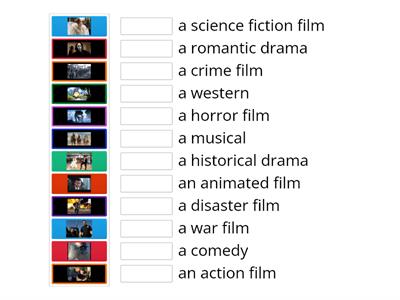
Types of films; Steps Plus 6; Unit 5
per en/la
Karoba
Emparellar
7
Types of films; Steps Plus 6; Unit 5 a
per en/la
School8
Penjat
31
EO3_unit 5 _video 2
per en/la
Veralambrekht
Emparellar
6
EO3_unit 5_video _vocab
per en/la
Veralambrekht
Obre la capsa
7
MODULE 5: 5b Gadget madness
per en/la
Tanyamoryakova9
Emparellar
7
Perspectives Intermediate unit 5 (video vocab)
per en/la
Fedorovaksu
Emparellar
5
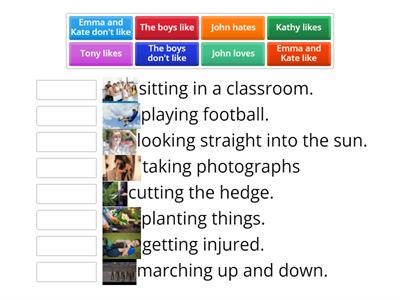
On Screen 2, Unit 1b, video Free-Time Activities
per en/la
Smileydiamond
Emparellar
6
Canvia de fonament
Mostrar-ho tot
Resultats oberts
Copiar enllaç
Codi QR
Suprimir
Restaurar desada automàtica:
?