What is the main purpose of the Animation Timeline in Inventor Studio?, To define material textures, To organize and control animation sequences, To create new assembly constraints, To export video files, Which tool moves the current time to zero in the Animation Timeline?, Go to end, Go to start, Play animation, Stop animation, What does Animate Fade control?, Visibility of a component, Camera speed, Constraint values, Animation background, Animate Parameters can be used after the parameter is:, Converted to 3D, Exported to Excel, Hidden, Added to Favorite Parameters, Positional Representations are created in which environment?, Drawing environment, Simulation environment, Assembly environment, Presentation environment, Animate Components is used to:, Change lighting color, Add a new camera, Apply texture, Move one or more components based on constraints, What is this icon used for?, Stop animation, Creates a camera, Play the animation in reverse, Play the animation, What is the name of this icon?, Animate Camera, Animate Parameters, Animate Light, Animate Components, What is the purpose of Video Producer?, To store unused animations, To combine camera shots and transitions into one video, To adjust assembly constraints, To convert sketches into animations, In Video Producer, transitions are used to:, Add sound effects, Change model geometry, Increase lighting brightness, Move between camera shots smoothly
0%
MODULE 5.2 TYPE A
Del
Del
af
Ghragtxlab
Rediger indhold
Gem
Synes om
Trykke
Integrere
Mere
Tildelinger
Rangliste
Vis mere
Vis mindre
Denne rangliste er i øjeblikket privat. Klik på
Del
for at gøre det offentligt.
Denne rangliste er deaktiveret af ressourceejeren.
Denne rangliste er deaktiveret, da dine muligheder er forskellige fra ressourceejerens.
Indstillinger for gendannelse
Quiz
er en åben skabelon. Det genererer ikke resultater for en rangliste.
Log ind påkrævet
Visuel stil
Skrifttyper
Kræver abonnement
Indstillinger
Mere sådan her
Viva 1 Module 5 - future activities
af
Alisonmullan
Find matchet
7
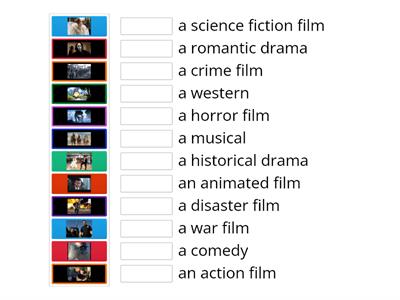
Types of films; Steps Plus 6; Unit 5
af
Karoba
Match op
7
Types of films; Steps Plus 6; Unit 5 a
af
School8
Hangman
31
EO3_unit 5 _video 2
af
Veralambrekht
Match op
6
EO3_unit 5_video _vocab
af
Veralambrekht
Åbn boksen
7
MODULE 5: 5b Gadget madness
af
Tanyamoryakova9
Match op
7
Perspectives Intermediate unit 5 (video vocab)
af
Fedorovaksu
Match op
5
On Screen 2, Unit 1b, video Free-Time Activities
af
Smileydiamond
Match op
6
Skift skabelon
Vis alle
Åbne resultater
Kopiér link
QR-kode
Slette
Gendan automatisk gemt:
?