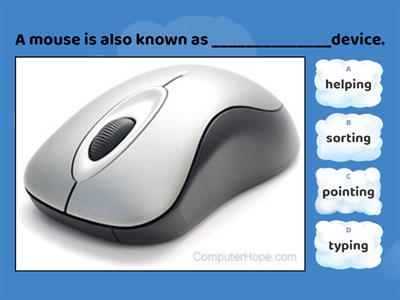
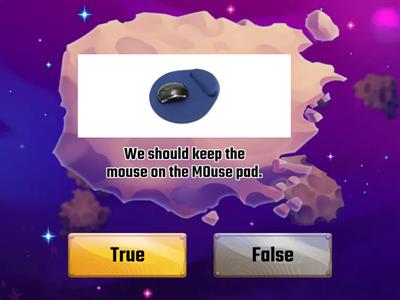
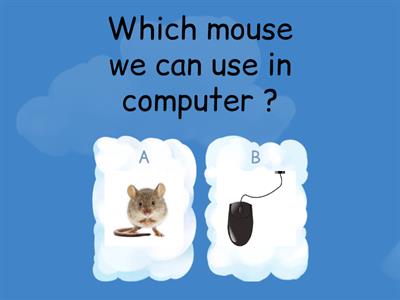
What is the main purpose of a mouse?, To display pictures and videos on the screen, To control the pointer/cursor on the screen, To print documents, To store files permanently, What is the primary function of the left mouse button?, Display a context menu, Scroll through documents, Select and open items, Close the computer, What does the right mouse button usually display?, A file explorer (navigation) window, A calculator, A toolbar, A context (drop-down) menu, What is the purpose of the scroll wheel?, To open emails and send text messages instantly, To close applications, To move through documents and web pages, To resize images, How does an optical mouse detect movement?, Using magnets, Using light, Using sound waves, Using pressure sensors, How does a wireless mouse send signals to the computer?, HDMI cable, Ethernet cable, VGA cable, USB/Bluetooth receiver, Which task can be performed using a mouse?, Select, open, close and minimize software, Create, edit, save and print documents, Print documents automatically, Scan paper documents, Which file operation can be carried out using a mouse?, Encrypt files automatically, Drag, move, copy and delete files, Compress folders permanently, Install an operating system, How can a mouse be used when editing graphics?, Resize, move and draw, Type, edit and save, Record, play and pause, Scan pictures, Which navigation task is performed using a mouse?, Scan documents, photos and barcodes, Connect printers, scanners and speakers, Navigate menus, icons and web pages, Install software drivers, Which scrolling action can a mouse perform?, Scroll diagonally only, Scroll up/down and left/right, Rotate documents automatically, Zoom images permanently, Which is an advantage of using a mouse?, Faster than a keyboard for selecting options, Stores more data than a keyboard during computer operation., Automatically corrects typing errors, Requires no desk space, What is another advantage of a mouse?, Creates internet connections automatically, Increases monitor resolution, Speeds up the computer processor, Quick navigation through software and the Internet, Why does a mouse require less desk space than a keyboard?, It is smaller for operation., It stores fewer files., It has fewer buttons., It uses less electricity., Which user may find it difficult to use a mouse?, Users with fast internet access, Users with large monitors, Users with limited hand/wrist movement, Users with external speakers, What is one disadvantage of older mice?, . They collect dust and dirt., They cannot move the pointer., They require a printer to operate., They cannot connect to a computer., What is required for a mouse to operate effectively?, A wireless network, A flat surface, A touchscreen display, A graphics tablet
0%
Mouse Features
Bagikan
Bagikan
oleh
Ict2026
Edit Konten
Simpan
Suka
Cetak
Menyematkan
Tambah
Tugas
Papan Peringkat
Tampilkan lainnya
Tampilkan lebih sedikit
Papan peringkat ini saat ini bersifat pribadi. Klik
Share
untuk menjadikannya publik.
Papan peringkat ini telah dinonaktifkan oleh pemilik sumber daya.
Papan peringkat ini dinonaktifkan karena opsi Anda berbeda dengan pemilik sumber daya.
Opsi Pemulihan
Kuis gameshow
adalah templat terbuka. Ini tidak menghasilkan skor untuk papan peringkat.
Diperlukan login
Gaya visual
Font
Diperlukan langganan
Pilihan
Lebih seperti ini
Mouse actions
oleh
Steve14
Permainan Pencocokan
4
Functions of a Mouse
oleh
Anjalisingh1
Kuis gameshow
3
Computer Mouse
oleh
Meenusharma
Kuis
85
computer mouse
oleh
Meenusharma
Pecah Balon
28
Computer mouse
oleh
Meenusharma
Benar atau salah
6
Computer mouse
oleh
Staraif
Diagram berlabel
5
Computer Mouse
oleh
Chinmaisundaram
Kuis
3
Computer Mouse Quiz
oleh
Shivanimattoo89
Kuis
3
Berganti templat
Tampilkan semua
Buka hasil
Salin tautan
Kode QR
Hapus
Pulihkan simpan otomatis:
?