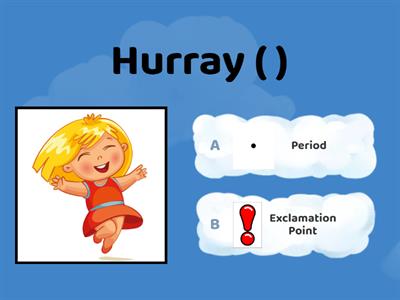
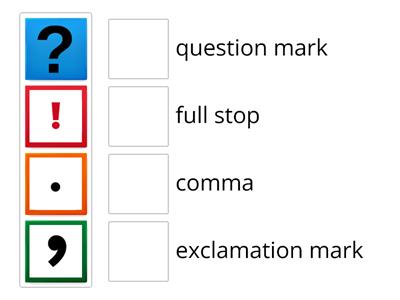
Full stop ., Indicates that a sentence has finished., Comma ,, Shows a slight pause in a sentence, separates clauses in a complex sentence and items in a list., Question mark?, Goes at the end of a question instead of a full stop., Exclamation mark!, Goes at the end of a dramatic sentence instead of a full stop to show surprise or shock. Only one is required at the end of a sentence if you are using it., Apostrophe ‘, Shows that letter(s) have been left out or indicates possession., Speech marks “ ”, Indicates direct speech - a character is talking. Remember to start a new line for a new speaker, Quote marks “ ”, When writing non-fiction texts, words inside quotation marks are ones you have taken from another source., Colon :, Introduces a list, a statement or a quote in a sentence, Semicolon ;, Separates two clauses that are related and of equal importance., Dash -, Separates extra information from the main clause by holding words apart. Used as a linking device in a sentence (e.g. 1914-1918). Can be used in dialogue when a speaker is interrupted, Brackets ( ), They separate extra information from the main clause and can be used like dashes to hold words apart., Ellipsis …, To show a passage of time, to hook the reader and create suspense.Used in speech when the speaker does not finish their sentence.Also used when quoting in an essay to skip over irrelevantevidence, Hyphen -, Used to divide, combine and join words. Used to create compound adjectives (top-class) and for all compound numbers from twenty-one to ninety-nine., Single inverted commas ‘ ’, The titles of books, poems, movies, plays, games and television shows should be placed in single inverted commas.
0%
punctuation
共有
共有
Literaturhexe
さんの投稿です
コンテンツの編集
セーブ
いいね!
印刷
埋め込み
もっと見る
割り当て
リーダーボード
もっと表示する
表示を少なくする
このリーダーボードは現在非公開です。公開するには
共有
をクリックしてください。
このリーダーボードは、リソースの所有者によって無効にされています。
このリーダーボードは、あなたのオプションがリソースオーナーと異なるため、無効になっています。
オプションを元に戻す
マッチアップ
は自由形式のテンプレートです。リーダーボード用のスコアは生成されません。
ログインが必要です
表示スタイル
フォント
サブスクリプションが必要です
オプション
もっとこんな感じだ
Punctuation marks
Teacherbay1
さんの投稿です
ボックスを開く
1
Punctuation Marks
Akalalsaidi
さんの投稿です
クイズ
6
Punctuation Marks
Lstone6
さんの投稿です
クイズ
29
Punctuation Marks
Enginkarakulluk
さんの投稿です
クイズ
4
Punctuation marks
Rbanna
さんの投稿です
マッチアップ
1
Punctuation marks
Englishlab
さんの投稿です
マッチアップ
15
Punctuation marks
Nadezda3
さんの投稿です
マッチアップ
3
テンプレートを切り替える
すべてを表示
オープン結果
リンクをコピー
QRコード
削除
自動保存:
を復元しますか?