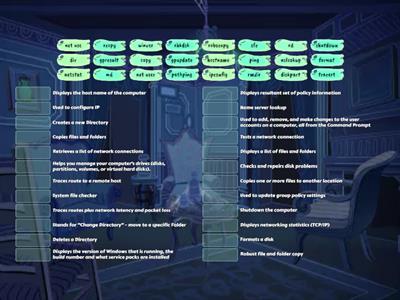
A user says they cannot access the Internet. You want to quickly determine whether their computer can communicate with the default gateway at 192.168.1.1. Which command should you use?, arp, ipconfig, ping, hostname, A help desk technician needs to quickly view the IPv4 address, subnet mask, and default gateway currently assigned to a Windows computer. Which command should be used?, ping, ipconfig, tracert, nslookup, A computer received an IP address from DHCP, but you need additional information, including the MAC address, DHCP server, DNS servers, and lease information. Which command should you use?, pathping, dig, arp -a, ipconfig /all, A laptop was moved from one network to another. You want the computer to give up its currently assigned DHCP address before requesting a new one. Which command should you run?, ipconfig, ipconfig /release, hostname, nslookup, After releasing a computer's DHCP address, you need it to contact the DHCP server and request a new IP configuration. Which command should you use?, ipconfig /flushdns, ipconfig /renew, ipconfig /all, tracert, A website recently changed its IP address. One user's computer continues trying to connect to the old address because it has cached the previous DNS information. Which command should you use?, ipconfig /flushdns, nslookup, hostname, tracert, Users can access most websites, but connections to a remote company server are failing. You want to see each router or hop that packets cross on their way to the destination. Which command should you use?, tracert, ipconfig /all, dig, nslookup, A user reports that they cannot access www.example.com. You suspect a DNS problem and want to determine what IP address the DNS server returns for the hostname. Which command should you use?, nslookup, hostname, dig, ipconfig /flushdns, You suspect a workstation has unexpected network connections. You want to view the computer's active TCP connections and listening ports. Which command should you use?, arp -a, netstat, pathping, ping, Two devices appear to be having communication problems on the local network. You want to view the workstation's ARP cache to see the IP-to-MAC address mappings it has learned. Which command should you use?, arp -a, ipconfig /flushdns, nslookup, hostname
0%
Networking Command Matching
共有
共有
Kkjoyner1
さんの投稿です
コンテンツの編集
セーブ
いいね!
印刷
埋め込み
もっと見る
ログインが必要です
表示スタイル
すべてを表示
フォント
アクティビティ設定
リーダーボード
割り当て
サブスクリプションが必要です
アクティビティ設定
リーダーボード
このリーダーボードは現在非公開です。公開するには
共有
をクリックしてください。
このリーダーボードは、リソースの所有者によって無効にされています。
このリーダーボードは、あなたのオプションがリソースオーナーと異なるため、無効になっています。
オプションを元に戻す
もっと表示する
表示を少なくする
クイズ
は自由形式のテンプレートです。リーダーボード用のスコアは生成されません。
割り当て
まだ課題を設定していません。
結果の収集を開始するには、任意のアクティビティページに移動し、[
課題の設定
]を選択します
設定を確認し、結果のリンクを生徒と共有します。
課題を設定
もっとこんな感じだ
CompTIA A+ Simulation - IP Address
Phagens
さんの投稿です
マッチアップ
63
CompTIA A+ TCP/IP Tools
Kberg46
さんの投稿です
一致するものを見つける
98
Network+ Obj 5.3 Troubleshooting Issues
Kberg46
さんの投稿です
マッチアップ
31
CompTIA a+ 1002 linux commands
Zqjkhlkckjub
さんの投稿です
マッチアップ
34
CompTIA A+ 1102 Linux Command-line Tools
Ddlz8790
さんの投稿です
マッチアップ
45
CompTIA A+ 1102 Windows Command-line Tools
Ddlz8790
さんの投稿です
マッチアップ
39
Windows Commands - Comptia A+ 1102
Jesus38383
さんの投稿です
マッチアップ
96
Linux Commands - CompTIA A+ 1102
Jesus38383
さんの投稿です
マッチアップ
55
テンプレートを切り替える
すべてを表示
オープン結果
リンクをコピー
QRコード
削除
自動保存:
を復元しますか?