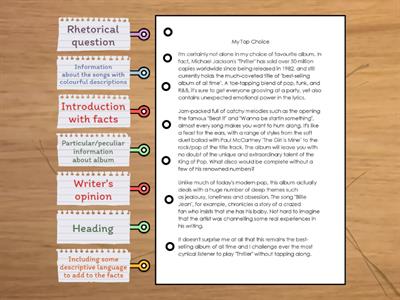
At the top, there is a clean navigation bar with all the main pages., On the left, we have a sidebar with filters to help users find the right course., In the middle of the screen, there is a grid of course cards., In the upper-left corner, there is the company logo, which links back to the homepage., In the upper-right corner, there are search and profile icons, and a cart., At the bottom of each card, there is a bright blue CTA button., At the very bottom, there is a red footer with all the legal documentation., On the right, we have filters for levels and interests so the user can sort the content., If you scroll down, there is an accordion menu for FAQ below the main section., Inside the red footer, there are social media links for Instagram and YouTube., The company logo is in the upper-left corner of the header., A clean navigation bar is at the top, so it’s very easy to see., Search and profile icons are in the upper-right corner next to the user balance., A sidebar with filters is on the left side of this layout., Filters for levels and interests are on the right in the mobile version of the app., A grid of course cards is in the middle, right under the main banner., Inside the card, the price tag is at the bottom, right next to the button., The main CTA button is in the bottom-right corner of the screen., An accordion menu for FAQ is at the bottom of the homepage., A red footer and social media links are at the very bottom of the webpage.
0%
3.2
공유
공유
만든이
Englishnastiia
콘텐츠 편집
저장
좋아요
인쇄
퍼가기
더보기
할당
순위표
더 보기
접기
이 순위표는 현재 비공개입니다.
공유
를 클릭하여 공개할 수 있습니다.
자료 소유자가 이 순위표를 비활성화했습니다.
옵션이 자료 소유자와 다르기 때문에 이 순위표가 비활성화됩니다.
옵션 되돌리기
문장 배열하기
(은)는 개방형 템플릿입니다. 순위표에 올라가는 점수를 산출하지 않습니다.
로그인이 필요합니다
비주얼 스타일
글꼴
구독 필요
옵션
이런 식으로 더 많아
On Screen B1 - Module 4 - Social Media
만든이
Jpatadel
매치업
6
Right or wrong? Get to the Top 1 Module 4
만든이
Naszgyongyi
참 또는 거짓
8
Review- layout
만든이
Christina74
명칭이 있는 다이어그램
7
Let's talk UX design
만든이
Mariasher
랜덤카드
3
Roadmap A2+ (2D. Show interest and excitement)
만든이
Englyspace
랜덤카드
8
Roadmap B1 - 4D: English in action
만든이
Libraryjcl
랜덤휠
4
Roadmap B1 + - 6D: English in action
만든이
Eireneii
퀴즈
3
Revision (Welcome) TOP GOAL
만든이
Salwaalhajrii
상자 열기
13
템플릿 전환하기
모두 표시
결과 열기
링크 복사
QR 코드
삭제
자동 저장된
게임을 복구할까요?