Troubleshooting means to..., Causing a problem, Finding and fixing a problem, If your device freezes, or stops working you can...., Make a cold, icy drink, Restart the computer., One thing you can check when your internet stops working is to..., Check that the wi-fi is turned on, Scream and shout, Your phone battery is draining quickly. You can try.., Lower the screen brightness, Turn off blue-tooth or location, Close background apps, All of the above, If your printer is not working properly you can..., Make sure the printer is on, Check cords and wi-fi connection, Restart the printer, All of the above, If your headphones are not working you should just throw them away., True. They are "toast"., False. You can check the output settings, The camera on the phone isn't letting you take photos. What might be wrong?, You are not a good photographer, Check the camera permission settings, You are getting lots of "spam" and junk emails. What can you do?, Do not click on suspicious links, Use anti-virus software, Install any updates that are recommended, All of the above, An update is installing the latest version of a program., True. This should be done when recommended, False. This is phishing and a scam., When a device crashes it means it is broken into hundreds of pieces., True. It's like a mirror that has cracked., False. It means an app or program has shut down and you need to troubleshoot.
0%
Troubleshooting
공유
공유
만든이
Claires3
콘텐츠 편집
저장
좋아요
인쇄
퍼가기
더보기
할당
순위표
더 보기
접기
이 순위표는 현재 비공개입니다.
공유
를 클릭하여 공개할 수 있습니다.
자료 소유자가 이 순위표를 비활성화했습니다.
옵션이 자료 소유자와 다르기 때문에 이 순위표가 비활성화됩니다.
옵션 되돌리기
퀴즈
(은)는 개방형 템플릿입니다. 순위표에 올라가는 점수를 산출하지 않습니다.
로그인이 필요합니다
비주얼 스타일
글꼴
구독 필요
옵션
이런 식으로 더 많아
Answer Questions
만든이
Carorami1977
상자 열기
3
Gadgets and technical problems
만든이
Srenzi
매치업
5
Smartphones vocabulary
만든이
Maxblack
일치하는 쌍
10
Software troubleshooting problems
만든이
Rameshjeewantha
퀴즈
2
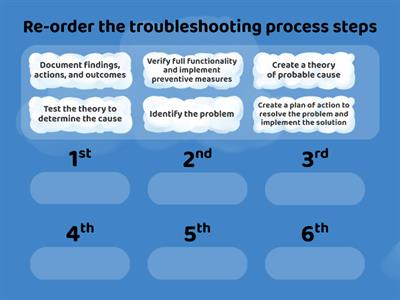
Troubleshooting process steps
만든이
Lubnaalmeshaiei
순위
5
Computer problems
만든이
Egonat71
퀴즈
28
Computer (questions)
만든이
Hop
상자 열기
3
템플릿 전환하기
모두 표시
결과 열기
링크 복사
QR 코드
삭제
자동 저장된
게임을 복구할까요?