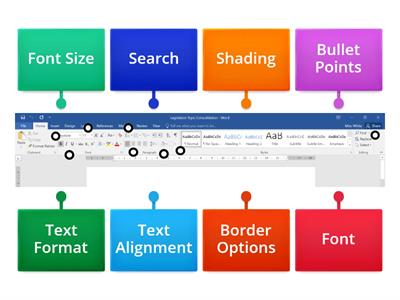
On the "Picture layout" bar, find the picture effects button - this lets you add things like glows and 3D effects to your pictures!, On the "Table layout" bar, find the properties button - this lets you change where the text in your table cells sits, and more!
0%
Practice hunt!
공유
공유
만든이
Joebroad
SEN
Computing
콘텐츠 편집
저장
좋아요
인쇄
퍼가기
더보기
할당
순위표
더 보기
접기
이 순위표는 현재 비공개입니다.
공유
를 클릭하여 공개할 수 있습니다.
자료 소유자가 이 순위표를 비활성화했습니다.
옵션이 자료 소유자와 다르기 때문에 이 순위표가 비활성화됩니다.
옵션 되돌리기
상자 열기
(은)는 개방형 템플릿입니다. 순위표에 올라가는 점수를 산출하지 않습니다.
로그인이 필요합니다
비주얼 스타일
글꼴
구독 필요
옵션
이런 식으로 더 많아
PHOTOSHOP TOOLS pt. 1
만든이
Dmccrae
매치업
7
PHOTOSHOP TOOLS pt. 2
만든이
Dmccrae
매치업
8
PhotoShop Tools
만든이
Laleen
명칭이 있는 다이어그램
10
Word patterns Destination B1 Unit 6
만든이
Lental
매치업
9
Text and Graphic features
만든이
Janessamckinney
퀴즈
10
Shape it! 2 - Useful Objects - PAGE 26
만든이
Inglêsep
이미지 퀴즈
4
Name the Tool Bar - Word Processing
만든이
Oliviawhite3
명칭이 있는 다이어그램
7
Focus 1. 3.2. WORD STORE 3D | learn and teach
만든이
Umanskaanastasiia
그룹 정렬
4
템플릿 전환하기
모두 표시
결과 열기
링크 복사
QR 코드
삭제
자동 저장된
게임을 복구할까요?