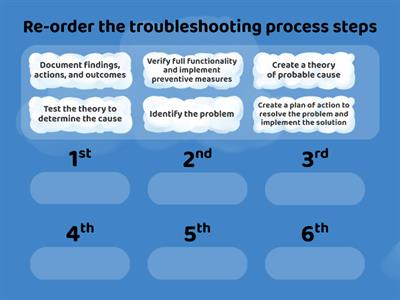
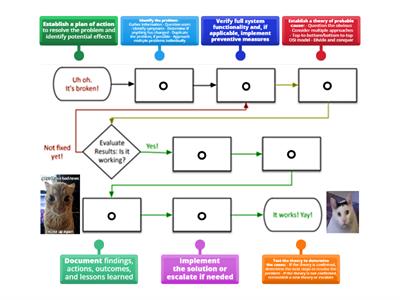
Identify the problem, Ask the user to describe the problem or symptoms, check for error messages, or recreate the problem., Identify what has changed, Establish what has changed. Most often, problems are caused by new hardware, software, or configuration changes. If necessary, ask users to recall what might have changed from the time the software worked and the time it didn't. Remember to inquire about environmental and infrastructure changes that could be relevant, Create hypothesis, With the information gathered in the preceding steps, conduct research and then develop several hypotheses that could potentially explain the problem. From your research and the information you have already gathered, narrow your hypotheses down to the one or two mostly likely causes., Determine the appropriate fix, Review knowledge bases, other websites, and your own experience to identify steps to remedy the problem. Before implementing any steps, think through all possible ramifications that might occur from the planned fixes. Often, the fix itself creates side effects that are just as bad or worse than the original issue, Implement the fix, It's finally time to implement the steps of the fix you have planned. Resist the urge to jump into troubleshooting by starting with this step., Verify functionality, After implementing the fix, verify that the fix repaired the problem. If the problem still exists or a new problem appears, start back at step one again., Document the solution, It might be tempting to move on to other problems, but be sure to document the previous six steps. This will save a lot of time and effort if the problem happens again in say a year or two.
0%
Troubleshooting Process
공유
공유
만든이
Alara42
Secondary
Computing
콘텐츠 편집
저장
좋아요
인쇄
퍼가기
더보기
할당
순위표
더 보기
접기
이 순위표는 현재 비공개입니다.
공유
를 클릭하여 공개할 수 있습니다.
자료 소유자가 이 순위표를 비활성화했습니다.
옵션이 자료 소유자와 다르기 때문에 이 순위표가 비활성화됩니다.
옵션 되돌리기
매치업
(은)는 개방형 템플릿입니다. 순위표에 올라가는 점수를 산출하지 않습니다.
로그인이 필요합니다
비주얼 스타일
글꼴
구독 필요
옵션
이런 식으로 더 많아
What would you do problem solving
만든이
Kferrante
퀴즈
37
Troubleshooting advance computing system steps
만든이
Nahidabughname
매치업
5
Troubleshooting process steps
만든이
Lubnaalmeshaiei
순위
5
CompTIA Troubleshooting Methodology
만든이
Freemanc176
그룹 정렬
22
Problem solving
만든이
Annashastak
랜덤휠
4
Problem solving
만든이
Todoaba
퀴즈
6
Problem-solving
만든이
Ciaranmckeon
그룹 정렬
3
network+ troubleshooting methodology
만든이
Shreksnose
명칭이 있는 다이어그램
7
템플릿 전환하기
모두 표시
결과 열기
링크 복사
QR 코드
삭제
자동 저장된
게임을 복구할까요?