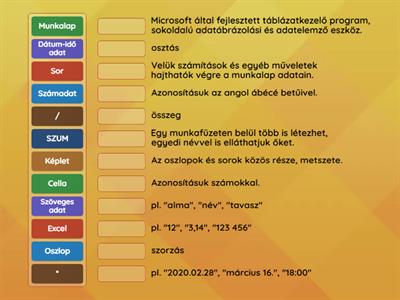
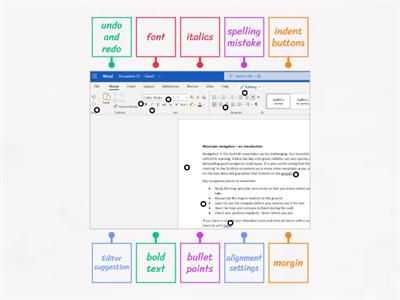
Ribbon, the major organizational unit of the program: contains tab groups, and commands, Entering Data, can be completed by typing in the active cell on the worksheet, Page layout tab, contains the following groups: themes, page setup, scale to fit., keyboards, use to enter data, nagigate worksheet, perform actions., active cell, can be identified by a heavy green border located aroung the cell., export, commands for creating PDF or XPS version of the document. Changing the file type., publish, command for publishing to BI, account, shows user information, options, opens the excel option window where various program setting can be editied., home tab, contains the follwing groups: clipboar, font, alignment, number, styles editing, cells,
0%
Excel
공유
공유
만든이
Seneitha
High
CS
Data Analysis and Visualization
콘텐츠 편집
저장
좋아요
인쇄
퍼가기
더보기
로그인이 필요합니다
비주얼 스타일
모두 표시
글꼴
활동 설정
순위표
할당
구독 필요
활동 설정
순위표
이 순위표는 현재 비공개입니다.
공유
를 클릭하여 공개할 수 있습니다.
자료 소유자가 이 순위표를 비활성화했습니다.
옵션이 자료 소유자와 다르기 때문에 이 순위표가 비활성화됩니다.
옵션 되돌리기
더 보기
접기
타일 뒤집기
(은)는 개방형 템플릿입니다. 순위표에 올라가는 점수를 산출하지 않습니다.
할당
아직 학생들과 공유한 액티비티가 없습니다.
결과 수집을 시작하려면 활동 페이지로 이동하여
할당 설정을
선택합니다.
설정을 확인하고 결과 링크를 학생들과 공유합니다.
과제 설정
이런 식으로 더 많아
excel 1
만든이
Baranyilaszlozs
매치업
7
Excel alapok
만든이
Benkokrisztza02
매치업
8
KNOW YOUR MS EXCEL INTERFACE HANDOUT 6
만든이
2508minakshi
명칭이 있는 다이어그램
7
Excel 2013
만든이
Rajatsharma3
명칭이 있는 다이어그램
7
Microsoft Word (Home tab)
만든이
K22cld
명칭이 있는 다이어그램
30
Spreadsheet Formatting
만든이
Hmacdonald96
퀴즈
7
Spreadsheets - identify the cells and ribbon
만든이
Lynnburns
명칭이 있는 다이어그램
9
Parts of MS Excel Window
만든이
Rkamal1
명칭이 있는 다이어그램
8
템플릿 전환하기
모두 표시
결과 열기
링크 복사
QR 코드
삭제
자동 저장된
게임을 복구할까요?