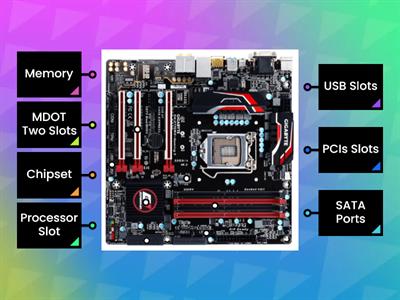
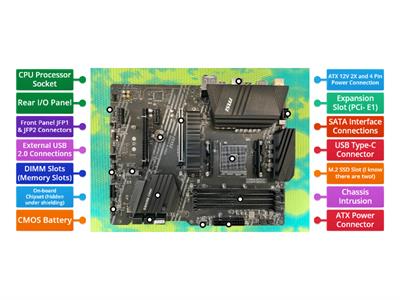
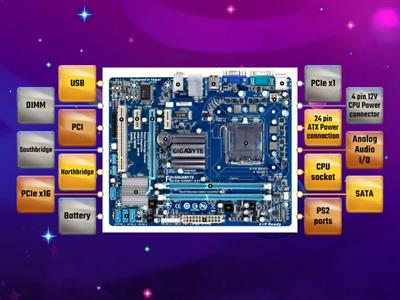
STEP 1, Prepare your workplace, STEP 2, Prepare the Motherboard, STEP 3, Install the CPU, STEP 4, Install the CPU Heat Sink, STEP 5, Install Memory (RAM Modules), STEP 6, Place the motherboard into the case, STEP 7, Connect the Power Supply, STEP 8, Install Graphics / Video Cards, STEP 9, Install Internal Drives, STEP 10, Install the Add- in Cards
0%
Personal Computer Assembly
공유
공유
만든이
Norymae
G10
ICT
Computer
콘텐츠 편집
저장
좋아요
인쇄
퍼가기
더보기
할당
순위표
더 보기
접기
이 순위표는 현재 비공개입니다.
공유
를 클릭하여 공개할 수 있습니다.
자료 소유자가 이 순위표를 비활성화했습니다.
옵션이 자료 소유자와 다르기 때문에 이 순위표가 비활성화됩니다.
옵션 되돌리기
매치업
(은)는 개방형 템플릿입니다. 순위표에 올라가는 점수를 산출하지 않습니다.
로그인이 필요합니다
비주얼 스타일
글꼴
구독 필요
옵션
이런 식으로 더 많아
Computer Motherboard
만든이
Neil5
명칭이 있는 다이어그램
39
PARTS OF A COMPUTER
만든이
Asiyasgs
두더지잡기
12
Activity 2 - Computer Assembly
만든이
Maryann28
순위
2
Name the Parts of the Motherboard
만든이
Macriselda1
게임쇼 퀴즈
3
Устройство компьютера
만든이
29leskoff25
일치하는 쌍
5
Motherboard Parts
만든이
Gobluebaillie12
명칭이 있는 다이어그램
2
Motherboard Components
만든이
Ccomeau
명칭이 있는 다이어그램
7
Computer Motherboard Components Quiz
만든이
Dcarter10
명칭이 있는 다이어그램
3
템플릿 전환하기
모두 표시
결과 열기
링크 복사
QR 코드
삭제
자동 저장된
게임을 복구할까요?