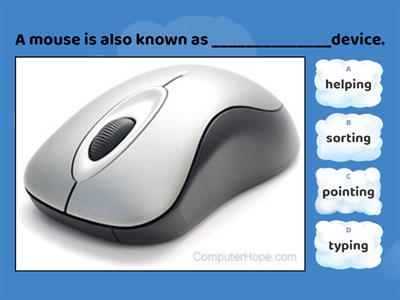
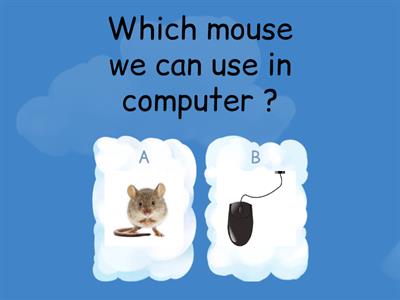
What is the main purpose of a mouse?, To display pictures and videos on the screen, To control the pointer/cursor on the screen, To print documents, To store files permanently, What is the primary function of the left mouse button?, Display a context menu, Scroll through documents, Select and open items, Close the computer, What does the right mouse button usually display?, A file explorer (navigation) window, A calculator, A toolbar, A context (drop-down) menu, What is the purpose of the scroll wheel?, To open emails and send text messages instantly, To close applications, To move through documents and web pages, To resize images, How does an optical mouse detect movement?, Using magnets, Using light, Using sound waves, Using pressure sensors, How does a wireless mouse send signals to the computer?, HDMI cable, Ethernet cable, VGA cable, USB/Bluetooth receiver, Which task can be performed using a mouse?, Select, open, close and minimize software, Create, edit, save and print documents, Print documents automatically, Scan paper documents, Which file operation can be carried out using a mouse?, Encrypt files automatically, Drag, move, copy and delete files, Compress folders permanently, Install an operating system, How can a mouse be used when editing graphics?, Resize, move and draw, Type, edit and save, Record, play and pause, Scan pictures, Which navigation task is performed using a mouse?, Scan documents, photos and barcodes, Connect printers, scanners and speakers, Navigate menus, icons and web pages, Install software drivers, Which scrolling action can a mouse perform?, Scroll diagonally only, Scroll up/down and left/right, Rotate documents automatically, Zoom images permanently, Which is an advantage of using a mouse?, Faster than a keyboard for selecting options, Stores more data than a keyboard during computer operation., Automatically corrects typing errors, Requires no desk space, What is another advantage of a mouse?, Creates internet connections automatically, Increases monitor resolution, Speeds up the computer processor, Quick navigation through software and the Internet, Why does a mouse require less desk space than a keyboard?, It is smaller for operation., It stores fewer files., It has fewer buttons., It uses less electricity., Which user may find it difficult to use a mouse?, Users with fast internet access, Users with large monitors, Users with limited hand/wrist movement, Users with external speakers, What is one disadvantage of older mice?, . They collect dust and dirt., They cannot move the pointer., They require a printer to operate., They cannot connect to a computer., What is required for a mouse to operate effectively?, A wireless network, A flat surface, A touchscreen display, A graphics tablet
0%
Mouse Features
Kopīgot
Kopīgot
autors:
Ict2026
Rediģēt saturu
Saglabāt
Patīk
Drukāt
Iegult
Vairāk
Uzdevumus
Līderu saraksts
Rādīt vairāk
Rādīt mazāk
Šī līderu grupa pašlaik ir privāta. Noklikšķiniet uz
Kopīgot
, lai to publiskotu.
Mācību līdzekļa īpašnieks ir atspējojis šo līderu grupu.
Šī līderu grupa ir atspējota, jo jūsu izmantotās iespējas atšķiras no mācību līdzekļa īpašnieka iespējām.
Atjaunot sākotnējās iespējas
Spēļu viktorīna
ir atvērta veidne. Tā neģenerē rezultātus līderu grupai.
Nepieciešams pieteikties
Vizuālais stils
Fonts
Nepieciešams abonements
Iespējas
Drīzāk šādi
Mouse actions
autors:
Steve14
Saderību meklēšana
4
Functions of a Mouse
autors:
Anjalisingh1
Spēļu viktorīna
3
Computer Mouse
autors:
Meenusharma
Viktorīna
85
computer mouse
autors:
Meenusharma
Balonu pārduršana
28
Computer mouse
autors:
Meenusharma
Patiess vai nepatiess
6
Computer mouse
autors:
Staraif
Diagramma ar etiķetēm
5
Computer Mouse
autors:
Chinmaisundaram
Viktorīna
3
Computer Mouse Quiz
autors:
Shivanimattoo89
Viktorīna
3
Pārslēgt veidni
Rādīt visus
Atvērtie rezultāti
Kopēt saiti
QR kods
Dzēst
Atjaunot automātiski saglabāto:
?