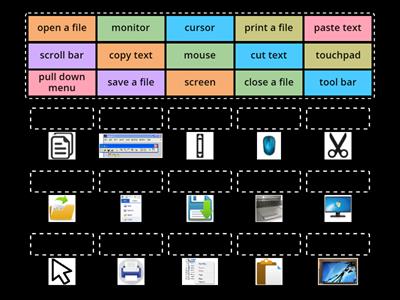
GUI, Graphical User Interface - the visual face of a computer that lets the user interact with buttons and icons instead of typing commands, File Explorer, The Windows filing system, Multitasking, The ability to do many things at once, Start Menu, The main button on the taskbar - A quick access to commonly used files and apps, Taskbar, A strip of icons that lets the user see what is open and access favourite apps, Operating System, The core software that manages a computer's hardware and apps so they can work together, Windows, Microsoft's operating system, iOS, Apple's mobile operating system, Chrome OS, Google's desktop operating system, Linux, A community-driven operating system, Mac OS, Apple's desktop operating system, Android, Google's mobile operating system
0%
The Software
Kongsikan
Kongsikan
oleh
Cmcgrath830
KS3
KS4
Computing
Computer Systems
Edit Kandungan
Simpan
Sukai
Cetakan
Benamkan
Lebih lagi
Tugasan
Papan mata
Paparkan banyak
Paparkan sedikit
Papan mata ini berciri peribadi pada masa ini. Klik
Kongsikan
untuk menjadikannya umum.
Papan mata ini telah dilumpuhkan oleh pemilik sumber.
Papan mata ini dinyahdayakan kerana pilihan anda berbeza daripada pemilik sumber.
Pilihan untuk Kembali
Pasangan sepadan
ialah templat terbuka. Ia tidak menjana skor untuk papan mata.
Log masuk diperlukan
Gaya visual
Fon
Langganan diperlukan
Pilihan
Lebih tepat seperti ini
Activity -Parts of computer
oleh
Enaskiddees
Membuka kotak
4
Label the Operating System
oleh
Sekarachari64
Gambar rajah berlabel
17
Match the Software - Microsoft Applications
oleh
Abevan1
Susunan kumpulan
17
Quiz Windows - File Management (advanced)
oleh
Carola79
Kuiz
7
Computers - vocabulary
oleh
Vitova
Menang atau kalah kuiz
4
Computer - vocabulary
oleh
Zsombor24
Padankan
4
The Computer screen, components and commands
oleh
Zavamaconsultin
Padankan
8
Whiz: Parts of the Computer
oleh
Aamir343
Padankan
6
Tukar templat
Paparkan semua
Buka keputusan
Salin pautan
Kod QR
Padam
Pulihkan autosimpan:
?