Print, Sends a document to the printer, Print Preview, Shows how the document will look before printing, Printer, Outputs the document onto paper, Ctrl + P, Shortcut to open the Print menu, Copies, Selects how many copies to print, Pages, Chooses which pages to print, Print All Pages, Prints the entire document, Custom Print, Prints selected pages only, Portrait Orientation, Vertical page layout, Landscape Orientation, Horizontal page layout, Paper Size, Sets the size of the paper, Margins, Controls space around the page, Print Button, Starts the printing process, Save, Stores changes before printing, Microsoft Word, Program used to create documents
0%
Print
Udostępnij
Udostępnij
autor:
Rukhsarabdullah
Edytuj elementy
Zapisz
Polub
Drukuj
Osadź
Więcej
Zadania
Tabela rankingowa
Pokaż więcej
Pokaż mniej
Ta tabela rankingowa jest obecnie prywatna. Kliknij przycisk
Udostępnij
, aby ją upublicznić.
Ta tabela rankingowa została wyłączona przez właściciela materiału.
Ta tabela rankingowa została wyłączona, ponieważ Twoje opcje różnią się od opcji właściciela materiału.
Przywróć poprzednie opcje
Połącz w pary
jest szablonem otwartym. Nie generuje wyników w tabeli rankingowej.
Wymagane logowanie
Motyw
Czcionki
Wymagany abonament
Opcje
Bardziej tak
Microsoft Word Basics
autor:
Alawhda
Połącz w pary
15
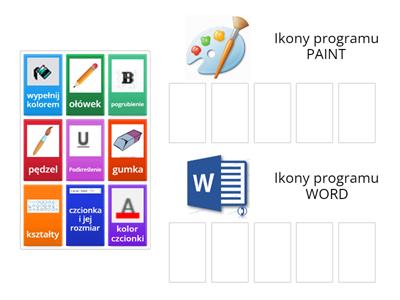
MS Word/ Paint
autor:
Zslachciak
Posortuj
3
Formatting Documents in MS Word
autor:
Computersjcicse
Odkryj karty
2
Parts of the Microsoft Word
autor:
Teacherliatriz
Rysunek z opisami
4
Recap of Microsoft Word
autor:
U59047421
Test
2
Microsoft Word
autor:
Nastia16
Połącz w pary
9
Picture to Word
autor:
Mciais
Memory
4
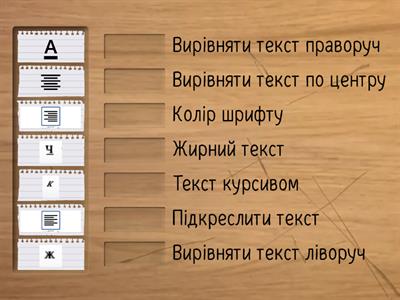
Microsoft Word
autor:
Profmaxti
Rysunek z opisami
4
Zmień szablon
Pokaż wszystko
Otwórz wyniki
Kopiuj link
Kod QR
Usuń
Przywrócić automatycznie zapisane ćwiczenie:
?