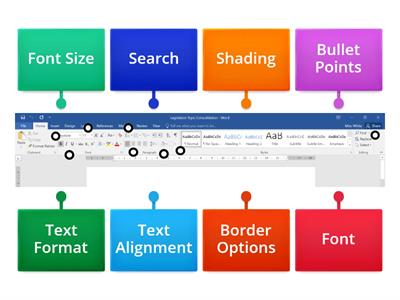
On the "Picture layout" bar, find the picture effects button - this lets you add things like glows and 3D effects to your pictures!, On the "Table layout" bar, find the properties button - this lets you change where the text in your table cells sits, and more!
0%
Practice hunt!
共享
共享
由
Joebroad
SEN
Computing
编辑内容
保存
喜欢
打印
嵌入
更多
作业
排行榜
显示更多
显示更少
此排行榜当前是私人享有。单击
,共享
使其公开。
资源所有者已禁用此排行榜。
此排行榜被禁用,因为您的选择与资源所有者不同。
还原选项
开箱游戏
是一个开放式模板。它不会为排行榜生成分数。
需要登录
视觉风格
字体
需要订阅
选项
更像是这样
PHOTOSHOP TOOLS pt. 1
由
Dmccrae
匹配游戏
7
PHOTOSHOP TOOLS pt. 2
由
Dmccrae
匹配游戏
8
PhotoShop Tools
由
Laleen
标记图表
10
Word patterns Destination B1 Unit 6
由
Lental
匹配游戏
9
Text and Graphic features
由
Janessamckinney
随堂测验
10
Shape it! 2 - Useful Objects - PAGE 26
由
Inglêsep
图像测验
4
Name the Tool Bar - Word Processing
由
Oliviawhite3
标记图表
7
Focus 1. 3.2. WORD STORE 3D | learn and teach
由
Umanskaanastasiia
按组分配
4
切换模板
显示所有
打开成绩
复制链接
QR 代码
删除
恢复自动保存:
?