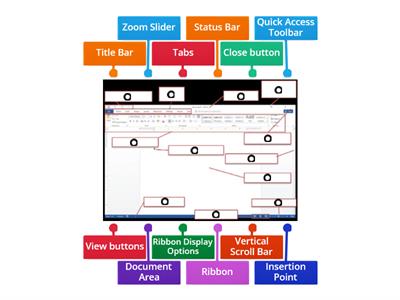
Word processing is the creation, editing, storage, and printing of a document using a word processor., TRUE, FALSE, A word processor is a computer application designed for manipulating text., FALSE, TRUE, The Ribbon contains all the commands you can use to work on a Word document., FALSE, TRUE, The Quick Access Toolbar cannot be customized., FALSE, TRUE, The Title Bar is located at the top of the program window., FALSE, TRUE, The Scroll Bars help you view parts of the document beyond what the window displays., TRUE, FALSE, The Zoom Slider changes the zooming level of the document., TRUE, FALSE, The Word Count indicator shows the current page number., TRUE, FALSE, You can add commands to the Quick Access Toolbar., FALSE, TRUE, You can remove a command from the Quick Access Toolbar by right-clicking it and choosing Remove from Quick Access Toolbar., TRUE, FALSE, What is word processing?, Playing computer games, Browsing the internet, Creating, editing, storing, and printing documents, Creating pictures, What computer application is designed for manipulating text?, Media player, Web browser, Calculator, Word processor, Which part of the Word window contains all the commands used to work on a document?, Zoom Slider, Scroll Bar, Ribbon, Title Bar, Which feature displays the Save, Undo, and Redo buttons?, Ribbon, Title Bar, Quick Access Toolbar, Navigation Pane, What feature helps you go to a particular spot in a document using headings, page thumbnails, or search results?, Scroll Bar, Zoom Slider, Navigation Pane, Ruler, What does the Zoom Slider do?, Opens the Navigation Pane, Counts the words, Saves the document, Changes the zooming level, Where is the Title Bar located?, On the left side, At the bottom of the window, At the top of the program window, Inside the document, What do the Scroll Bars help you do?, Add commands, Change the font, Count words, Scroll vertically or horizontally through a document, Which option can you select to add commands through the Quick Access Toolbar settings?, Page Number, Word Count, Auto-hide Ribbon, More Commands, What should you click to remove a command from the Quick Access Toolbar?, Show Tab and Commands, Add to Quick Access Toolbar, More Commands, Remove from Quick Access Toolbar, Which Microsoft Word feature displays the name of the active document?, Status Bar, Scroll Bar, Ribbon, Title Bar, Which Microsoft Word feature contains all the commands you can use to work on a document?, Quick Access Toolbar, Ribbon, Title Bar, Zoom Slider, Which Microsoft Word feature displays the Save, Undo, and Redo buttons?, Ribbon, Navigation Pane, Quick Access Toolbar, Status Bar, Which Microsoft Word feature changes the zoom level for viewing the document?, Zoom Slider, Title Bar, Ruler, Word Count, Which Microsoft Word feature shows the number of words in the document?, Word Count, Page View, Navigation Pane, Status Bar
0%
computer 4
Ibahagi
Ibahagi
ni
Iamrecaroque
I-edit ang Nilalaman
I-save
Gusto
I-print
Naka-embed
Higit pa
Mga Assignment
Leaderboard
Magpakita pa
Huwag gaanong magpakita
Ang leaderboard na ito ay kasalukuyang pribado. I-click ang
ibahagi
upang gawin itong pampubliko.
Ang leaderboard na ito ay hindi pinagana ng may-ari ng aktibidad.
Hindi pinagana ang leaderboard na ito dahil ang iyong mga pagpipilian ay naiiba sa may-ari ng aktibidad..
Ibalik ang Opsyon
Pagsusulit
ay isang bukas na template. Hindi ito bumubuo ng mga marka para sa isang leaderboard.
Kailangan maglog-in
Estilo ng visual
Mga Font
Kailangan ang subscription
Mga pagpipilian
Mas ganito.
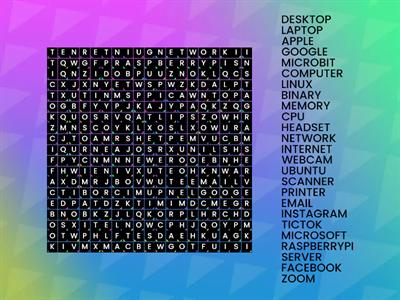
Computer Word Search
ni
Sneekylinuxa1
Wordsearch
4
8.4 Review Drag a Word
ni
Gretchen10
Pag-uuri ng pangkat
21
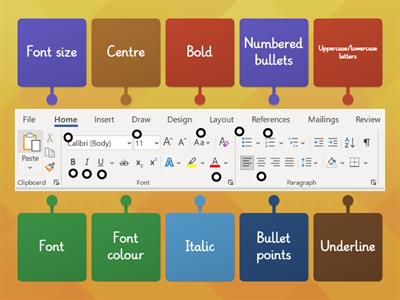
Microsoft Word toolbar
ni
Fltutor
Labelled Diagram
33
Quiz Basic Microsoft Word
ni
G05325628
Pagsusulit
14
Microsoft Word Window Review
ni
U71034113
Labelled Diagram
10
Questions WORDS KB 4
ni
Altigrinova
Pagtutugma
7
Name the Tool Bar - Word Processing
ni
Oliviawhite3
Labelled Diagram
7
Word Processing Commands
ni
Mrsreilly
Labelled Diagram
62
AI Enhanced: Ang aktibidad na ito ay naglalaman ng nilalaman na nabuo ng AI.
Matuto nang higit pa.
Magpalit ng template
Ipakita lahat
Buksan ang mga resulta
Kopyahin ang link
QR code
Tanggalin
Ibalik ng awtomatikong pag-save:
?