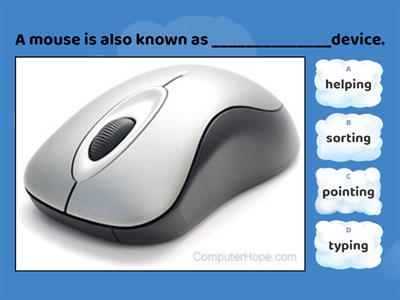
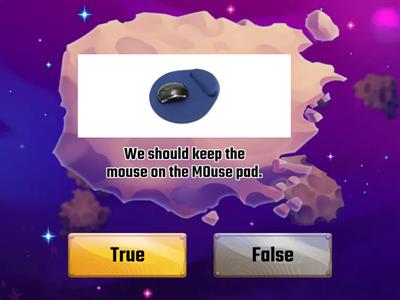
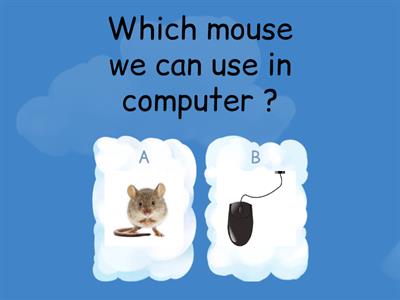
What is the main purpose of a mouse?, To display pictures and videos on the screen, To control the pointer/cursor on the screen, To print documents, To store files permanently, What is the primary function of the left mouse button?, Display a context menu, Scroll through documents, Select and open items, Close the computer, What does the right mouse button usually display?, A file explorer (navigation) window, A calculator, A toolbar, A context (drop-down) menu, What is the purpose of the scroll wheel?, To open emails and send text messages instantly, To close applications, To move through documents and web pages, To resize images, How does an optical mouse detect movement?, Using magnets, Using light, Using sound waves, Using pressure sensors, How does a wireless mouse send signals to the computer?, HDMI cable, Ethernet cable, VGA cable, USB/Bluetooth receiver, Which task can be performed using a mouse?, Select, open, close and minimize software, Create, edit, save and print documents, Print documents automatically, Scan paper documents, Which file operation can be carried out using a mouse?, Encrypt files automatically, Drag, move, copy and delete files, Compress folders permanently, Install an operating system, How can a mouse be used when editing graphics?, Resize, move and draw, Type, edit and save, Record, play and pause, Scan pictures, Which navigation task is performed using a mouse?, Scan documents, photos and barcodes, Connect printers, scanners and speakers, Navigate menus, icons and web pages, Install software drivers, Which scrolling action can a mouse perform?, Scroll diagonally only, Scroll up/down and left/right, Rotate documents automatically, Zoom images permanently, Which is an advantage of using a mouse?, Faster than a keyboard for selecting options, Stores more data than a keyboard during computer operation., Automatically corrects typing errors, Requires no desk space, What is another advantage of a mouse?, Creates internet connections automatically, Increases monitor resolution, Speeds up the computer processor, Quick navigation through software and the Internet, Why does a mouse require less desk space than a keyboard?, It is smaller for operation., It stores fewer files., It has fewer buttons., It uses less electricity., Which user may find it difficult to use a mouse?, Users with fast internet access, Users with large monitors, Users with limited hand/wrist movement, Users with external speakers, What is one disadvantage of older mice?, . They collect dust and dirt., They cannot move the pointer., They require a printer to operate., They cannot connect to a computer., What is required for a mouse to operate effectively?, A wireless network, A flat surface, A touchscreen display, A graphics tablet
0%
Mouse Features
Chia sẻ
Chia sẻ
bởi
Ict2026
Chỉnh sửa nội dung
Lưu
Yêu thích
In
Nhúng
Nhiều hơn
Tập
Bảng xếp hạng
Hiển thị thêm
Ẩn bớt
Bảng xếp hạng này hiện đang ở chế độ riêng tư. Nhấp
Chia sẻ
để công khai bảng xếp hạng này.
Chủ sở hữu tài nguyên đã vô hiệu hóa bảng xếp hạng này.
Bảng xếp hạng này bị vô hiệu hóa vì các lựa chọn của bạn khác với của chủ sở hữu tài nguyên.
Đưa các lựa chọn trở về trạng thái ban đầu
Chương trình đố vui
là một mẫu kết thúc mở. Mẫu này không tạo điểm số cho bảng xếp hạng.
Yêu cầu đăng nhập
Phong cách trực quan
Phông chữ
Yêu cầu đăng ký
Tùy chọn
Thêm những điều như thế này
Mouse actions
bởi
Steve14
Nối từ
4
Functions of a Mouse
bởi
Anjalisingh1
Chương trình đố vui
3
Computer Mouse
bởi
Meenusharma
Đố vui
85
computer mouse
bởi
Meenusharma
Nổ bóng bay
28
Computer mouse
bởi
Meenusharma
Đúng hay sai
6
Computer mouse
bởi
Staraif
Gắn nhãn sơ đồ
5
Computer Mouse
bởi
Chinmaisundaram
Đố vui
3
Computer Mouse Quiz
bởi
Shivanimattoo89
Đố vui
3
Chuyển đổi mẫu
Hiển thị tất cả
Mở kết quả
Sao chép liên kết
Mã QR
Xóa
Bạn có muốn khôi phục tự động lưu:
không?