What is the main purpose of the Animation Timeline in Inventor Studio?, To define material textures, To organize and control animation sequences, To create new assembly constraints, To export video files, Which tool moves the current time to zero in the Animation Timeline?, Go to end, Go to start, Play animation, Stop animation, What does Animate Fade control?, Visibility of a component, Camera speed, Constraint values, Animation background, Animate Parameters can be used after the parameter is:, Converted to 3D, Exported to Excel, Hidden, Added to Favorite Parameters, Positional Representations are created in which environment?, Drawing environment, Simulation environment, Assembly environment, Presentation environment, Animate Components is used to:, Change lighting color, Add a new camera, Apply texture, Move one or more components based on constraints, What is this icon used for?, Stop animation, Creates a camera, Play the animation in reverse, Play the animation, What is the name of this icon?, Animate Camera, Animate Parameters, Animate Light, Animate Components, What is the purpose of Video Producer?, To store unused animations, To combine camera shots and transitions into one video, To adjust assembly constraints, To convert sketches into animations, In Video Producer, transitions are used to:, Add sound effects, Change model geometry, Increase lighting brightness, Move between camera shots smoothly
0%
MODULE 5.2 TYPE A
Bendrinti
Bendrinti
prie
Ghragtxlab
Redaguoti turinį
Išsaugoti
Patinka
Spausdinti
Įterpti
Daugiau
Užduotis
Lyderių lentelė
Rodyti daugiau
Rodyti mažiau
Ši lyderių lentelė šiuo metu yra privati. Spustelėkite
Bendrinti
, kad ji būtų vieša.
Ši lyderių lentelė buvo išjungta išteklių savininko.
Ši lyderių lentelė yra išjungta, nes jūsų parinktys skiriasi nuo nustatytų išteklių savininko.
Grąžinti parinktis
Viktorina
yra neterminuotas šablonas. Jis negeneruoja rezultatų lyedrių lentelei.
Reikia prisijungti
Vizualinis stilius
Šriftai
Būtina prenumerata
Parinktys
Labiau taip.
Viva 1 Module 5 - future activities
prie
Alisonmullan
Rasti tinkamą
7
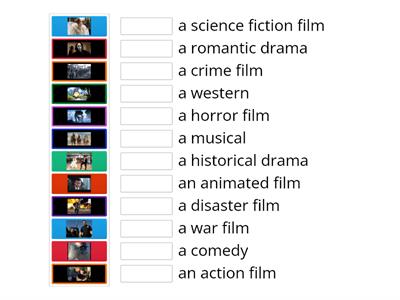
Types of films; Steps Plus 6; Unit 5
prie
Karoba
Rask tinkamą
7
Types of films; Steps Plus 6; Unit 5 a
prie
School8
Židimas „Kartuvės“
31
EO3_unit 5 _video 2
prie
Veralambrekht
Rask tinkamą
6
EO3_unit 5_video _vocab
prie
Veralambrekht
Atidaryk langelį
7
MODULE 5: 5b Gadget madness
prie
Tanyamoryakova9
Rask tinkamą
7
Perspectives Intermediate unit 5 (video vocab)
prie
Fedorovaksu
Rask tinkamą
5
On Screen 2, Unit 1b, video Free-Time Activities
prie
Smileydiamond
Rask tinkamą
6
Pakeisti šabloną
Rodyti viską
Atviri rezultatai
Kopijuoti nuorodą
QR kodas
Naikinti
Atkurti automatiškai įrašytą:
?