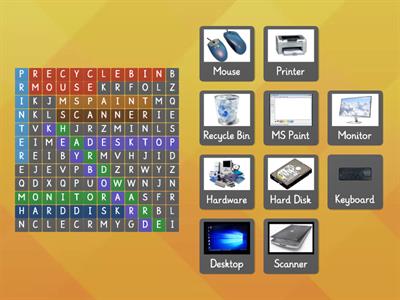
Access, To enter or retrieve data from a computer or network, Align, To adjust the horizontal or vertical placement of text, objects, or paragraphs, Analyze, To analyze data, system performance, or trends to understand patterns, identify problems, or make decisions based on available information, Animate, To add movement or create the illusion of motion in multimedia content, often used in animation or video production, Archive, To store data in a compressed or organized format for long-term preservation or to save space on storage devices, Assembly, To put together computer hardware components, Authenticate, To verify the identity of a user, device, or system by providing valid credentials such as a password or biometric information, Authorize, To grant permission or access rights to users or processes within computer tools based on predefined permissions, Automate, To implement processes or tasks within computer tools to run automatically, reducing manual intervention, Back, To navigate to the previous screen, page, or location within a software application, website, or interface, Backup, To make a copy of data for safekeeping to prevent loss in case of hardware failure or other issues, Bold, To make selected text appear in a bold typeface for emphasis, Bookmark, To save a specific website or webpage for quick access later, usually within a web browser, Boot, To start or restart a computer or laptop to start up a computer or load an operating system, often from a powered off state, Break, To insert a page break, column break, or section break to control the document's layout, Browse, To navigate through websites or online content using a web browser, Cache, To temporarily store data in a cache memory, often for faster access and retrieval, Calculate, To perform mathematical operations to derive results, such as sums or averages, Calibrate, To adjust or set the accuracy of a measuring instrument or device, ensuring proper functioning and precision, Cancel, To terminate or stop a process, task, or operation before it is completed, Chart, To create visual representations of data through graphs or charts, Clean, To remove dust, dirt, debris, or unnecessary files from computer hardware, peripherals, or software applications, Clear, To remove or erase content, data, or settings from a screen, document, form, or interface, Clone, To create an exact copy or replica of a hard drive, SSD, or an entire computer system
0%
ICT TERMS
Share
Share
by
Haaniipradini
Edit Content
Save
Like
Print
Embed
More
Assignments
Leaderboard
Show more
Show less
This leaderboard is currently private. Click
Share
to make it public.
This leaderboard has been disabled by the resource owner.
This leaderboard is disabled as your options are different to the resource owner.
Revert Options
Match up
is an open-ended template. It does not generate scores for a leaderboard.
Log in required
Visual style
Fonts
Subscription required
Options
More like this
Computer words
by
Rachelw
Match up
10
Computer Vocab
by
Donaldson
Match up
47
Computer Words
by
Lenovochina1985
Wordsearch
8
Computer / Internet Vocabulary
by
Staykool4liz
Match up
6
COMPUTER VOCABULARY
by
Myteacheracademy
Group sort
6
Computer Terms
by
Scole644
Matching pairs
13
Computer terms
by
Vludadurinka
Hangman
5
Computer - vocabulary
by
Zsombor24
Match up
4
Switch template
Show all
Open results
Copy link
QR code
Delete
Continue editing:
?